# HelloGitHub Vol.30
> Passion is the best teacher. **HelloGitHub** inspires your interest in open-source!

## Table of Contents
Click the **「Table of Contents」** icon at the top-right corner to open the navigation and enjoy a better reading experience.

## Content
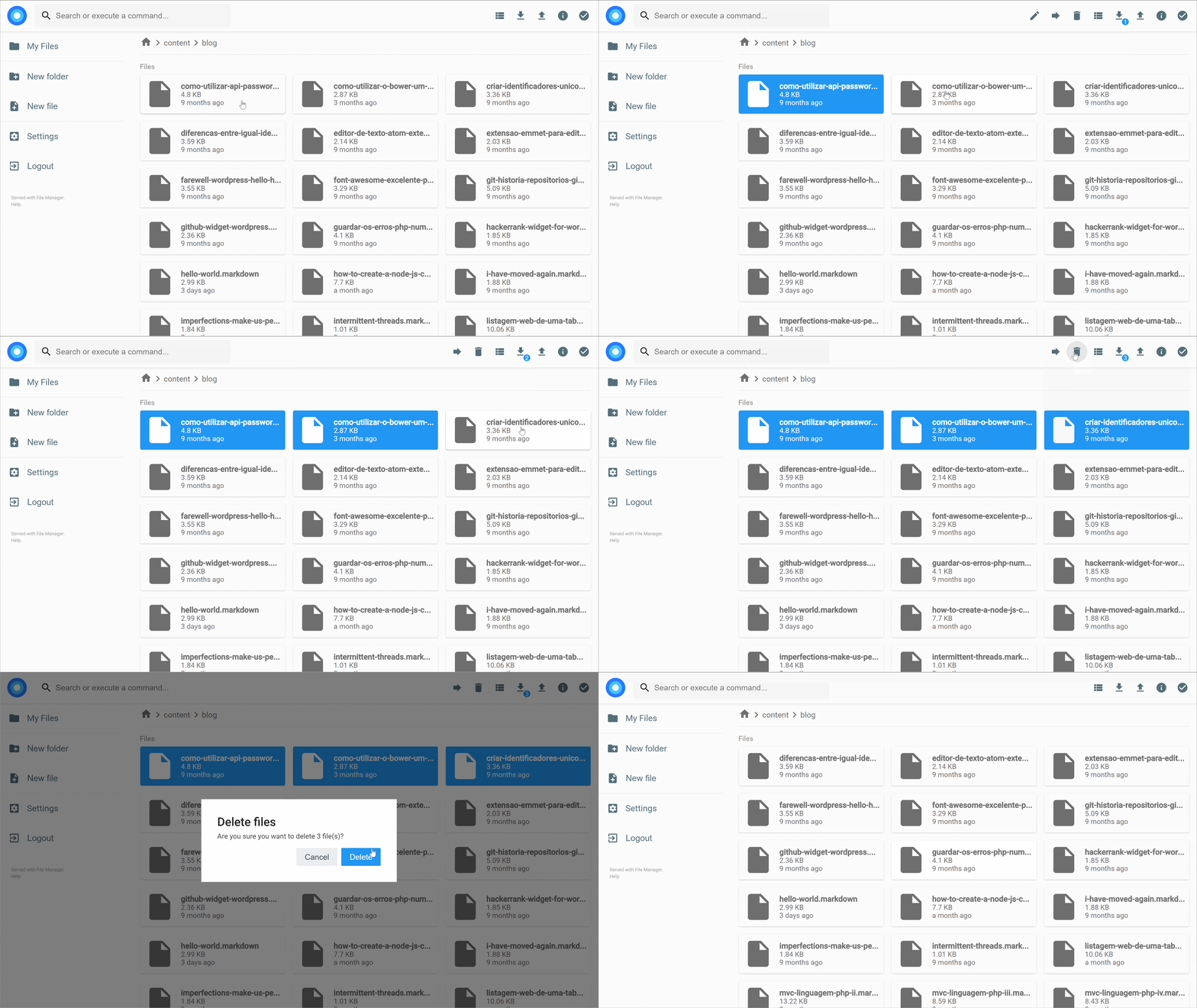
> **The content of this issue is as follows**|Updated on the **28th** of each month
### C++
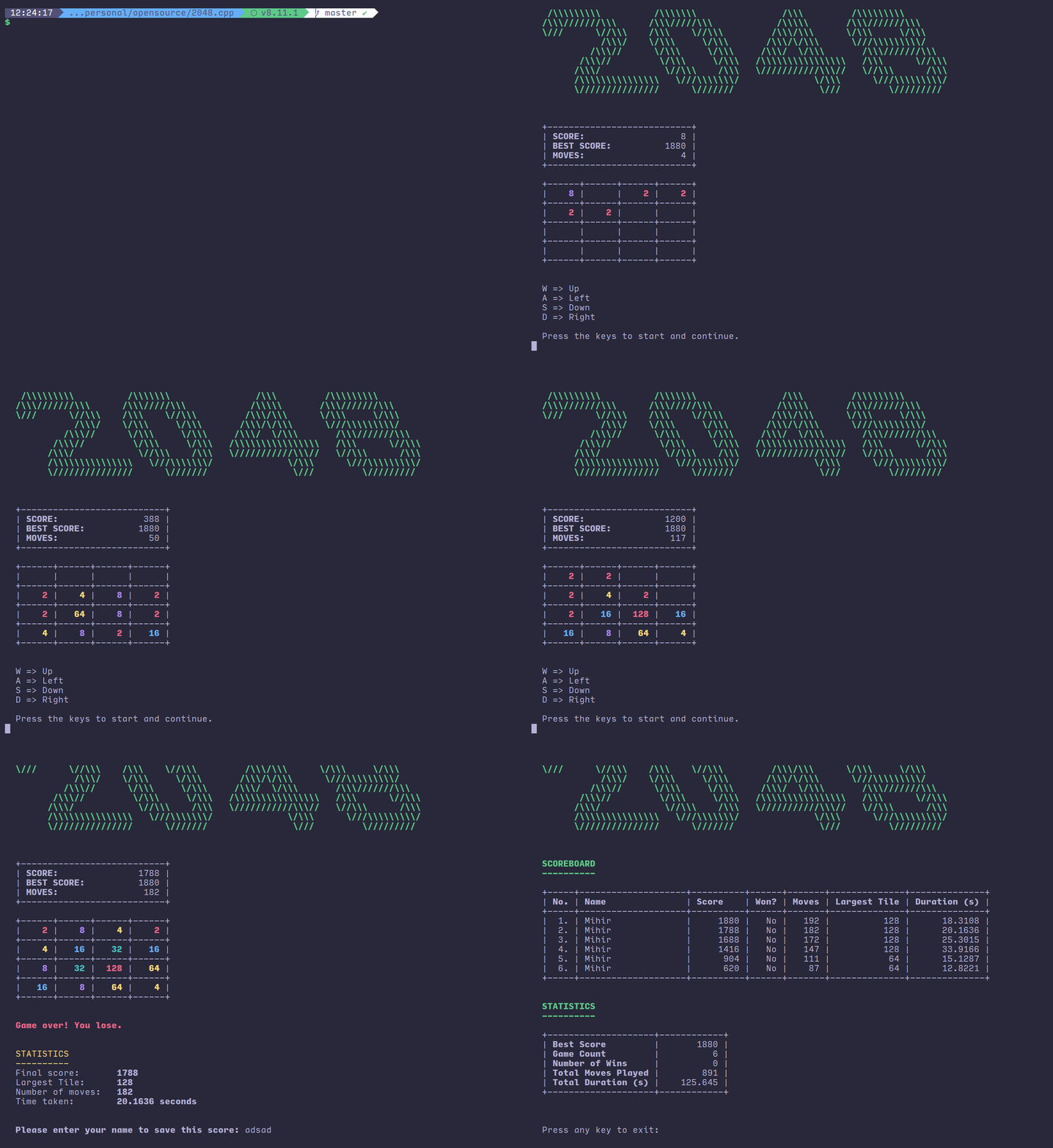
1、[2048.cpp](https://hellogithub.com/en/periodical/statistics/click?target=https://github.com/plibither8/2048.cpp):C++ 写的终端 2048 游戏
### CSS
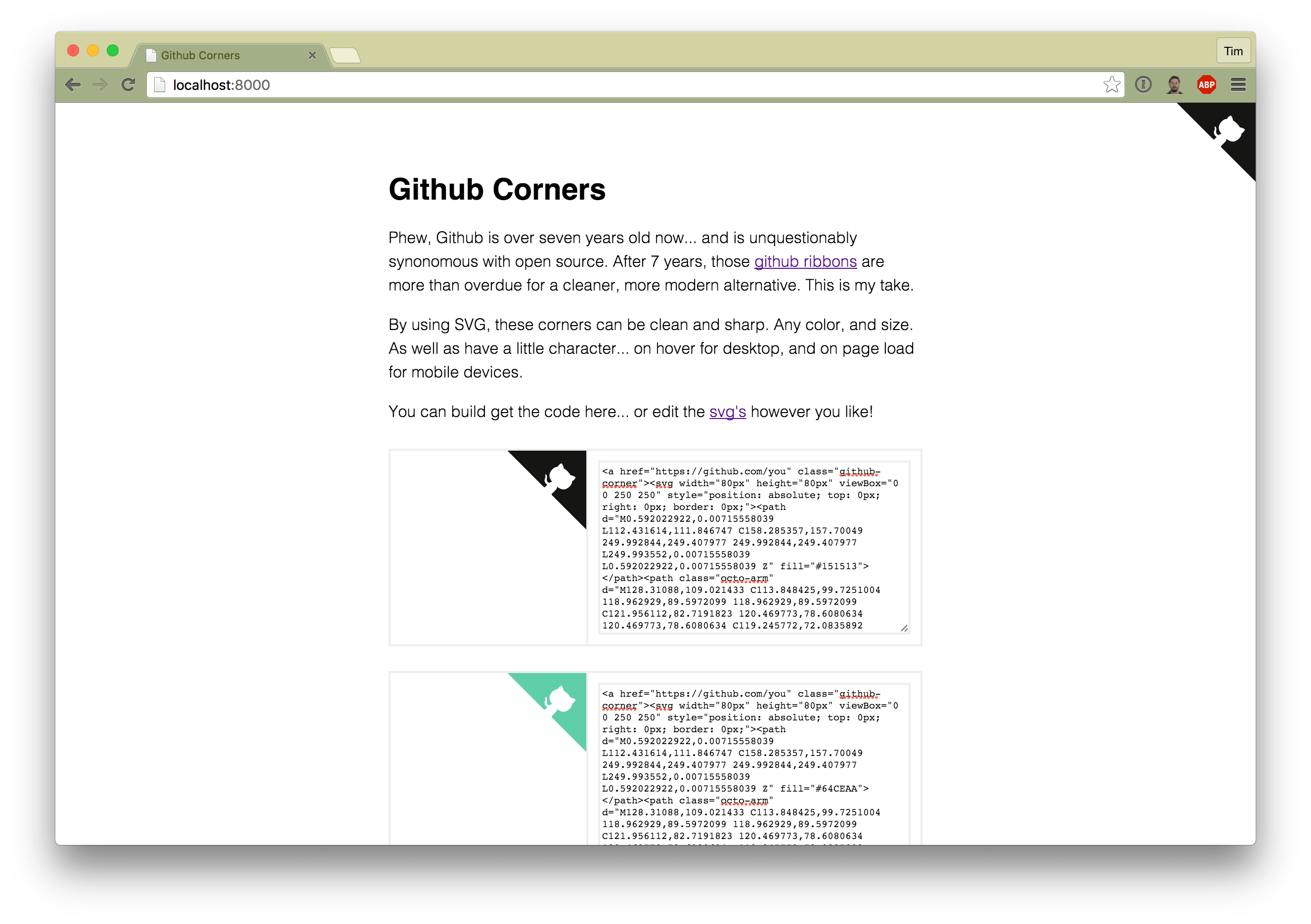
2、[github-corners](https://hellogithub.com/en/periodical/statistics/click?target=https://github.com/tholman/github-corners):在你的网站右上角挂上章鱼猫。效果如下:
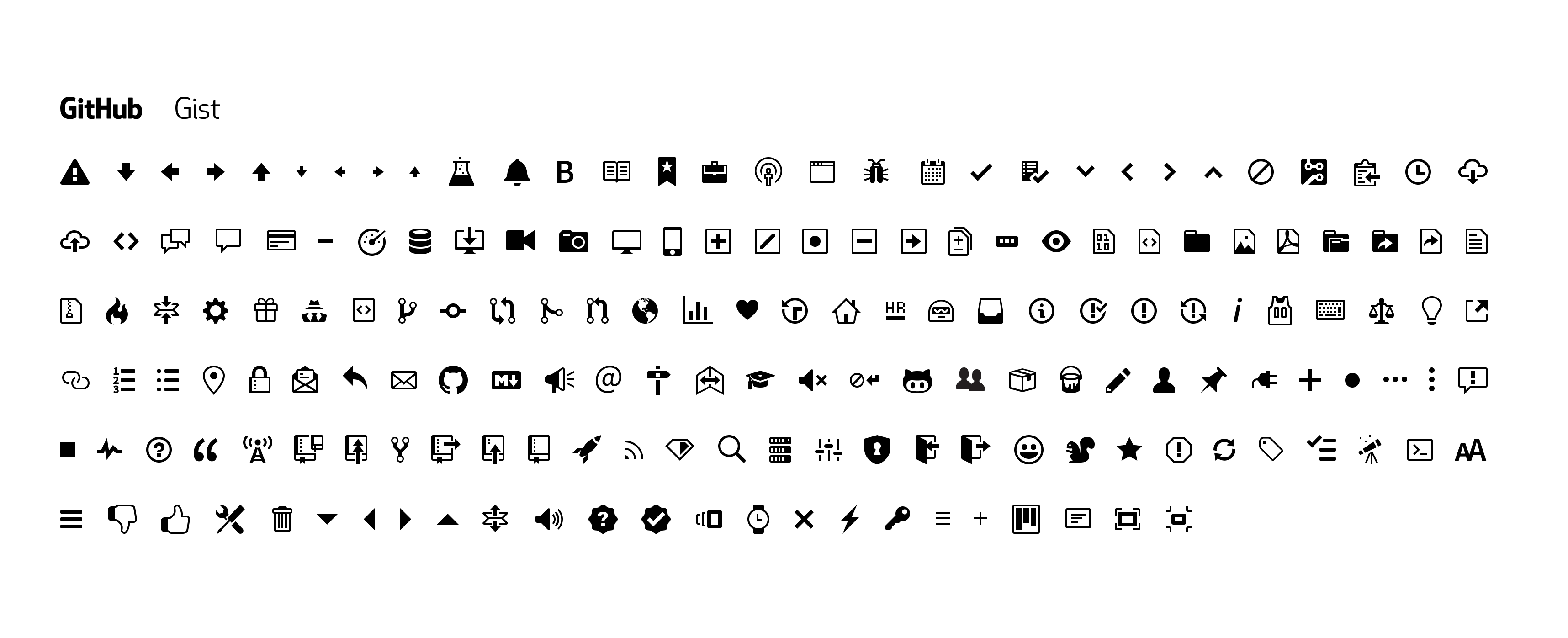
3、[octicons](https://hellogithub.com/en/periodical/statistics/click?target=https://github.com/primer/octicons):GitHub 官方开源的 GitHub 网站上用的图标库
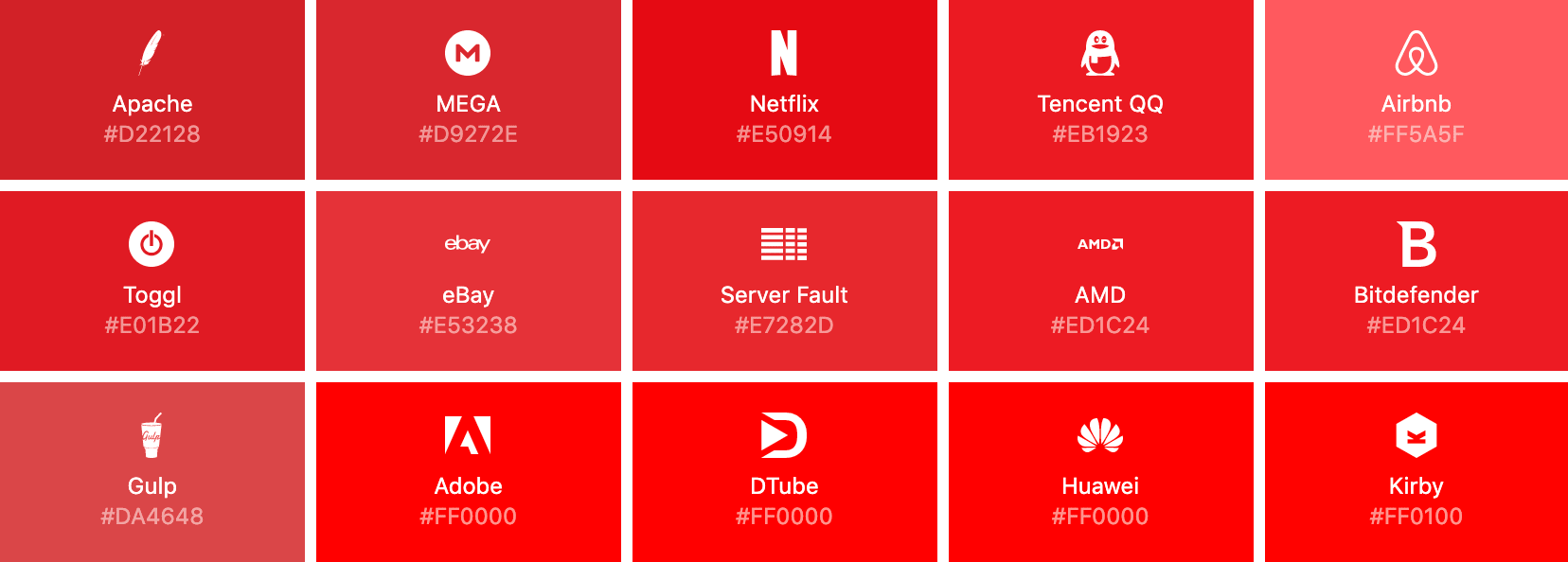
4、[simple-icons](https://hellogithub.com/en/periodical/statistics/click?target=https://github.com/simple-icons/simple-icons):1000+ 个流行品牌的免费 SVG 图标库。[在线预览](https://simpleicons.org/)
### Go
5、[filebrowser](https://hellogithub.com/en/periodical/statistics/click?target=https://github.com/filebrowser/filebrowser):自带文件浏览器的网盘服务。支持功能:文件浏览、文件生成分享链接、批量上传、文件夹创建等服务、用户系统。安装步骤如下:
1. 安装:`docker pull filebrowser/filebrowser`
2. 配置:配置文件在 `/etc/config.json`,数据库在 `/etc/database.db`
3. 启动
```
docker run \
-v /path/to/sites/root:/srv \
-v /path/to/config.json:/config.json \
-v /path/to/database.db:/database.db \
-p 80:80 \
filebrowser/filebrowser
```
4. 访问:然后访问 `http://localhost` 即可,默认是 80 端口,改端口的话修改 `config.json` 文件
6、[frp](https://hellogithub.com/en/periodical/statistics/click?target=https://github.com/fatedier/frp):一个可用于内网穿透的高性能的反向代理应用,支持 tcp、udp、http、https 协议。有时想要让其他人(外网)通过域名访问或者测试我们在本地搭建的 web 服务,但是由于本地机器没有公网 IP,无法将域名解析到本地的机器,通过 frp 就可以实现这一功能。例如:微信公众号开发、slack bot 开发等,[中文文档](https://github.com/fatedier/frp/blob/master/README_zh.md)
7、[nes](https://hellogithub.com/en/periodical/statistics/click?target=https://github.com/fogleman/nes):Golang 写的 NES 模拟器。现在可能已经没人玩 NES 游戏了,不过可以了解下怎么写模拟器、如何用 Go 模拟 CPU 和 GPU
```
1. 安装
go get github.com/fogleman/nes
2. 运行
nes [rom文件的路径]
```

### Java
8、[cicada](https://hellogithub.com/en/periodical/statistics/click?target=https://github.com/TogetherOS/cicada):基于 Netty4 实现的快速、轻量级 Web 框架。没有过多的依赖,核心 jar 包仅 30KB。一行代码即可启动 HTTP 服务,支持灵活的传参方式。[中文文档](https://github.com/TogetherOS/cicada/blob/master/README-ZH.md),示例代码:
```java
public class MainStart {
public static void main(String[] args) throws InterruptedException {
CicadaServer.start(MainStart.class,"/cicada-example") ;
}
}
```
### JavaScript
9、[ice](https://hellogithub.com/en/periodical/statistics/click?target=https://github.com/alibaba/ice):让前端开发简单而友好,海量可复用物料,配套桌面工具极速构建前端应用。模板比较多,样式易于定制,物料的概念很好。可用来极速构建中后台应用,[官网](https://alibaba.github.io/ice/iceworks)

10、[legoflow](https://hellogithub.com/en/periodical/statistics/click?target=https://github.com/legoflow/legoflow):内置最前沿的 WebPack4、Babel7、Gulp4 的构建工具,无需安装复杂的系统环境,更轻、更强、开箱即用的前端工作流客户端

11、[thejsway](https://hellogithub.com/en/periodical/statistics/click?target=https://github.com/thejsway/thejsway):JavaScript 教程(英文),该教程对新手友好、全面。从编程基础到前端、后端 Web 开发。该教程采用 ES2015 语法编写,还有良好的编程习惯指导。使用 ESLint 、Pretties 工具,并遵循 [AirBnb 风格指南](https://github.com/airbnb/javascript)。每章都有练习,使得获得的技能付诸于事件。最后的一个实战项目将指导你创建[新闻 Web 应用](https://thejsway-publink.herokuapp.com/)
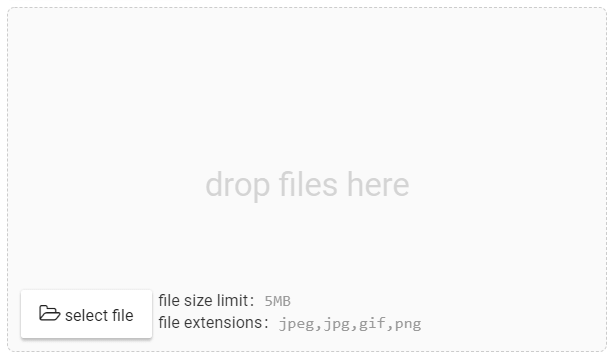
12、[v-uploader](https://hellogithub.com/en/periodical/statistics/click?target=https://github.com/TerryZ/v-uploader):基于 Vue2 简洁易用、可批量、拖拽的文件上传插件。该[作者 GitHub 仓库](https://github.com/TerryZ?tab=repositories) 还有很多使用 Vue 开发的组件,想学习编写 Vue 组件的同学可以前去学习、借鉴。[文档及示例](https://terryz.gitee.io/vue/#/upload/demo),支持功能:
- 单文件上传模式带图片预览框
- 单文件上传模式预览框模式支持关闭、自定义尺寸、自定义默认展示图片等定制化功能
- 批量上传模式支持图片预览、文件拖拽
- 健全的上传文件限制,文件类型、文件尺寸、自定义校验等
### Objective-C
13、[iOS-InterviewQuestion-collection](https://hellogithub.com/en/periodical/statistics/click?target=https://github.com/liberalisman/iOS-InterviewQuestion-collection):iOS 开发者在面试过程中,常见的一些面试题,建议尽量弄懂了原理,并且多实践。
### Python
14、[cx-extractor-python](https://hellogithub.com/en/periodical/statistics/click?target=https://github.com/chrislinan/cx-extractor-python):这是一个对网页正文进行抽取的工具。 [cx-extractor](https://github.com/chrislinan/cx-extractor/blob/master/%E5%9F%BA%E4%BA%8E%E8%A1%8C%E5%9D%97%E5%88%86%E5%B8%83%E5%87%BD%E6%95%B0%E7%9A%84%E9%80%9A%E7%94%A8%E7%BD%91%E9%A1%B5%E6%AD%A3%E6%96%87%E6%8A%BD%E5%8F%96%E7%AE%97%E6%B3%95.pdf) 算法的 python 版本,改进了原有算法,使其支持中英文,对新闻类网页正文抽取效果较好。示例代码:
```python
from crawler.cx_extractor_Python import cx_extractor_Python
cx = cx_extractor_Python()
test_html = cx.getHtml('http://news.163.com/16/0101/10/BC84MRHS00014AED.html')
content = cx.filter_tags(test_html)
s = cx.getText(content)
print(s)
```
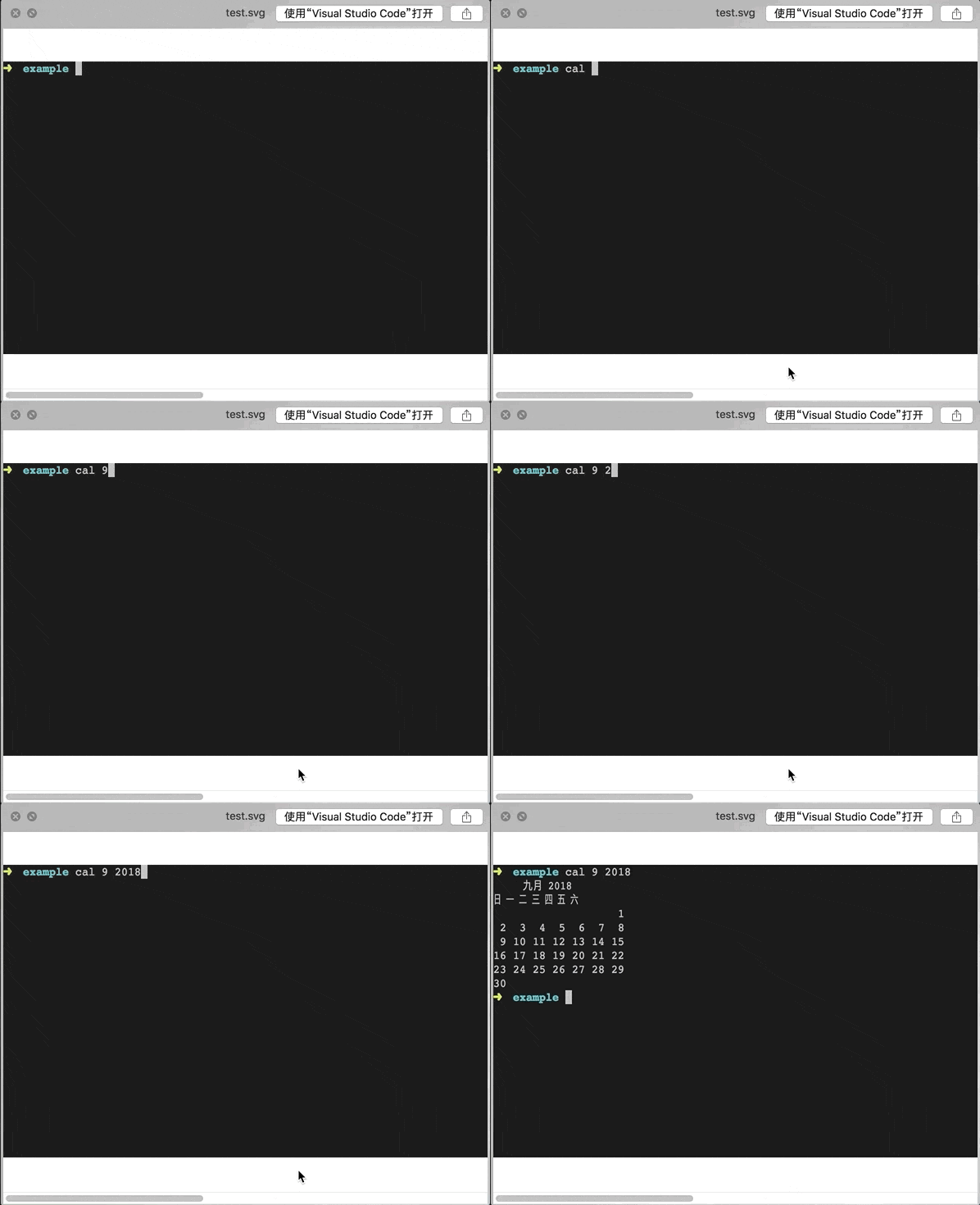
15、[termtosvg](https://hellogithub.com/en/periodical/statistics/click?target=https://github.com/nbedos/termtosvg):Python 写的终端记录器。通过命令 `termtosvg` 运行该工具,然后在终端执行你要展示的命令,最终输入 `exit` 命令结束录制,本地会生成一份 SVG 动画,可用于分享、展示终端操作。效果如下:
### Swift
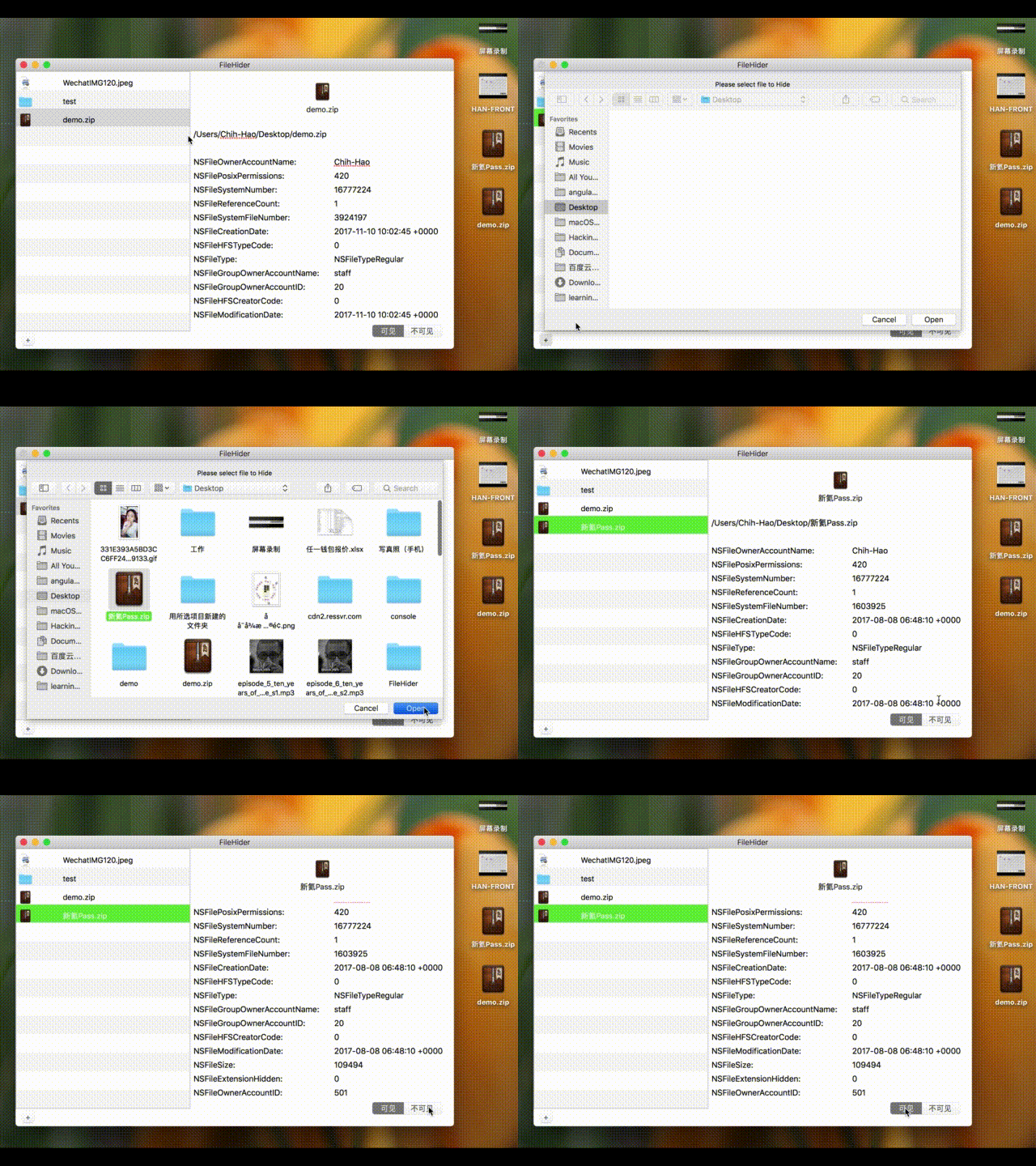
16、[FileHider-for-mac](https://hellogithub.com/en/periodical/statistics/click?target=https://github.com/zhihaozhang/FileHider-for-mac):一款将你的文件夹、文件隐藏起来的小工具。适用于 macOS X 10.10 及以后的版本
### AI
17、[100-Days-Of-ML-Code](https://hellogithub.com/en/periodical/statistics/click?target=https://github.com/Avik-Jain/100-Days-Of-ML-Code):《机器学习 100天》[中文版](https://github.com/MLEveryday/100-Days-Of-ML-Code)
### Other
18、[chinese-xinhua](https://hellogithub.com/en/periodical/statistics/click?target=https://github.com/pwxcoo/chinese-xinhua):中华新华字典数据库。包括歇后语,成语,词语,汉字
19、[DDFE-blog](https://hellogithub.com/en/periodical/statistics/click?target=https://github.com/DDFE/DDFE-blog):滴滴前端技术分享
20、[HowToBeAProgrammer](https://hellogithub.com/en/periodical/statistics/click?target=https://github.com/braydie/HowToBeAProgrammer):成为一名好的程序员是困难的,将一个想法变为现实,最困难的地方在于与你的同事和顾客相处。编程能力很重要,但在好的程序员看来。相比构建一个让各种各样客户都满意的软件系统,纯粹的编程真的只是小孩子的玩意。在这篇文章里,我尝试尽可能简洁地总结那些当我 21 岁时,希望别人告诉我的事。[中文版](https://github.com/braydie/HowToBeAProgrammer/blob/master/zh/README.md#%E7%9B%AE%E5%BD%95)
21、[weekly](https://hellogithub.com/en/periodical/statistics/click?target=https://github.com/ascoders/weekly):前端精读。前端界的好文精读,每周更新
『Previous』 | Feedback | 『Next』
---
👉 Submit open-source project! 👈
## Sponsor
## Disclaimer

This work is licensed under a Creative Commons Attribution-NonCommercial-NoDerivatives 4.0 International License.